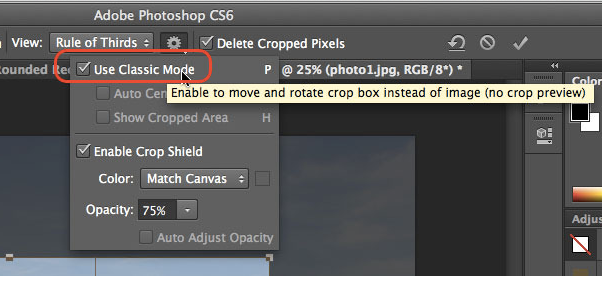
Why did the crop tool change to inversed / “natural” (like apple’s natural scolling) in Photoshop CS6? Cropping used to work by moving the crop frame in the image but is now done by moving the image around the crop frame. How can I get the old behavior back? Well, that is simple. There is a preference in the toolbar after you select the crop tool: