quicksilver clear recent items

Quicksilver has a “recent items” cache / item proxy. The only problem is if you have deleted items that are showing up there. They never seem to go away!

quicksilver clear recent items

To fix this you’ll have to manually go in and clear the Quicksilver Recent Items list.

To do this I exited Quicksilver, and renamed a file in this folder by adding “.old” to the end of it.

~/Library/Application Support/Quicksilver

My file was a hidden file, called .dat01c7.022, but your file will probably be named differently.

After restarting quicksilver the Recent Items had been cleared and things were wonderful again.

Posted in Mac, Tech Tips | Tagged , | 1 Comment

mr.google.com

mr.google.com is google’s mx service dns entry.

Posted in Random, Web Development | Tagged , | Leave a comment

Unmount sshfs on Mac OS X


umount /path/to/pointer

Posted in Mac, Tech Tips, Web Development | Tagged , , | 1 Comment

Virtualbox Enable Auto Capture

If you’re getting an error about Virtualbox Enable Auto Capture

Virtualbox Enable Auto Capture

The Virtual Machine reports that the guest OS supports mouse pointer integration. This means that you do not need to capture the mouse pointer to be able to use it in your guest OS — all mouse actions you perform when the mouse pointer is over the Virtual Machine’s display are directly sent to the guest OS. If the mouse is currently captured, it will be automatically uncaptured.

The mouse icon on the status bar will look like to inform you that mouse pointer integration is supported by the guest OS and is currently turned on.

Note: Some applications may behave incorrectly in mouse pointer integration mode. You can always disable it for the current session (and enable it again) by selecting the corresponding action from the menu bar.

Enabling Virtualbox Auto Capture

You can enable VirtualBox Auto Capture by visiting the Global Preferences Pane and choosing the Input tab.

Virtualbox Enable Auto Capture

Posted in Tech Tips | Tagged | Leave a comment

Keyconfig for Firefox

KeyConfig for Firefox lets you rebind your keys and shortcut keys.

If you’re wondering where keyconfig for Firefox went, you can stop looking. I searched for a while and then realized that, to the best of my knowledge, it’s not in the Mozilla Extensions directory / repo.

Here’s the keyconfig for Firefox that I’m used to:

Keyconfig for Firefox

I’m using Keyconfig on Firefox 3, Firefox 4, and Firefox 5 and it seems to be working fine.

Keyconfig for Firefox

You can Install Keyconfig for Firefox by clicking on the .xpi file.

About Keyconfig

keyconfig allows you to change keyboard shortcuts. Firefox, Thunderbird, SeaMonkey, and any other XULRunner Application keyconfig adds the ability to create new or modify existing shortcuts defined by aelement, but only changing those which itself call a function (those with a command or oncommand attribute) has an effect (all others fulfill only cosmetic purposes it seems and are grayed out). The configuration screen can be accessed via Tools > Keyconfig (in most Applications), the Add-ons Manager, or Ctrl+Shift+F12 (Command+Shift+F12 on MacOS) from the main window. Currently there is only one list of modified keys per application, so changing a shortcut in one window will also affect other windows if they use the same key name.

In the Mozilla Addons Search, you Martin Petricek, but that addon looks like it still needs some work as the comments say it’s buggy, and it apparently does not work for Fire Fox 5.

This add-on provides configurable keyboard shortcuts for several actions and a dialog to customize them. All shortcuts can be redefined in Tools -/> Key settings” width=”665″ height=”139″ /></p>
							</div><!-- .entry-content -->
	
			<div class= Posted in Software, Tech Tips | Tagged , | Leave a comment

Keynote Disable Snap

If you’re using Keynote and want to disable “snapping” to objects or the grid, this is what you need.

Basically, you can turn those off in the preferences, in Ruler Preferences.

Also, if you don’t want to completely turn off the guides so that you can use them while aligning larger groups or other objects, holding down the “Command” or “Apple” key will make the object you’re currently dragging not snap to anything.

Posted in Mac, Tech Tips | Tagged , | Leave a comment

Who Makes Keynote?

Basically, Apple makes Keynote. Keynote is a presentation software application developed as a part of the iWork productivity suite by Apple Inc. Keynote 5 was announced on January 6, 2009, and is the most recent version for the Macintosh. It adds new themes, transitions and animations, and the ability to control the slideshow with an iPhone or iPod touch through the Keynote Remote application. On January 27, 2010, Apple announced a new version of Keynote for iPad with an all new touch interface.

image

Posted in Mac, Software | Tagged , , | Leave a comment

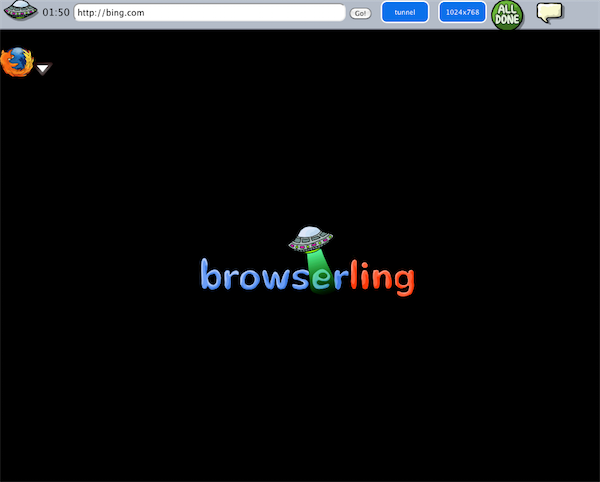
Browserling Blank or Logo Screen

Seems like every time I try and use Browserling I just get a blank screen, or their logo. Does this happen to you, too?

Browserling Blank or Logo Screen

Posted in Web Development | Tagged | Leave a comment

Add Shell Script To Dock

Want to add a shell script to Dock?

If you don’t need a Terminal window, you can make any executable file an Application just by moving example.sh to example.sh.app/Contents/MacOS/example.sh. You can place the Application in your dock like any other, and execute it with a click.

Posted in Tech Tips | Tagged , , , , | Leave a comment

Is an iPad exempt? – Tax Free Weekend

Is an iPad exempt from tax free weekend?

If you’re wondering whether or not an iPad is exempt or an exception to sales tax during the tax holiday, it may depend on what state you live in.

In North Carolina:

3. Computers, including tablet computers and netbooks, with a sales price of three thousand five hundred dollars ($3,500) or less per item.

A “computer” is an electronic device that accepts information in digital or similar form and manipulates it for a result based on a sequence of instructions. For purposes of the exemption during the sales tax holiday, a computer includes a central processing unit, monitor, keyboard, mouse, and speakers since these items are deemed to be necessary in the operation of the computer.

The separate sale of a monitor, keyboard, mouse, or speakers is subject to the applicable tax when the item is not sold in conjunction with a central processing unit. Peripherals are not considered part of a computer and are subject to the applicable tax notwithstanding that they may be sold with the computer as a package. Peripherals must be separately stated on the invoice and the appropriate tax charged on those items.

An eReader, is not a computer and is, therefore, taxable.

So, in this case, an iPad does not in fact qualify for tax-free status.

Posted in Tech Tips | Tagged , , | 1 Comment