
This app is no longer available for sale.
I’ve written an app for OS X that will take an Adobe Illustrator file with broken links / liked files, and run through those trying to relink them automatically.
Instructions
- Open the Adobe Illustrator (.ai) file with Illustrator. This application has been confirmed to work with Illustrator versions CS3, CS4, CS5, and CS6, and Adobe Creative Cloud
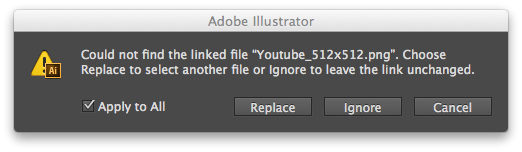
- Choose “Ignore” or “Ignore / Apply to All” to the messages about the missing files when the document is opening. Those are typically something like “Could not find the linked file / Choose Replace to select another file or Ignore to leave the link unchanged.”
- Run the Fix Linked Files App that you downloaded / installed.
- You will be prompted for a directory to search (recursively) for the missing linked files. By default this is set to three levels up from where the Adobe Illustrator file with the missing linked files is located. Please note: If you choose the root folder ( / ) or a folder with many files in it, it may take some time for the system to search for the linked files. I would suggest choosing the most restrictive path possible to start with.
- After the app has completed, any linked files found will be updated (and will show up normally) in Adobe Illustrator.
- Save the AI file and the linked files will continue your workflow with all the linked resources now fixed!
- Next time you open this file all of the resources will remain fixed and you will not be prompted to relink them when re-opening the .ai file.
Requirements
- Mac OS X
- Adobe Illustrator CS2, CS3, CS4, CS5, CS6, CS7, CC
- Also works with latest Adobe Creative Cloud (CC) version
What if I have Adobe Creative Cloud?
I’ve done thorough testing to make sure that my application works with all version of Adobe Illustrator Creative Cloud. If the Fix Linked File application doesn’t work I will personally help you and if that doesn’t work I’ll issue a refund.
![Adobe Illustrator Could Not Find The Linked File [Solved]](https://techblog.willshouse.com/wp-content/uploads/2011/01/adobe-illustrator-could-not-find-the-linked-file-solved-1.png)
Beta Version
The beta version features a more comprehensive report of the files that are missing and which ones are found when you run the program. If you have any problems with the current version let me know and you can test the beta version.
![Adobe Illustrator Could Not Find The Linked File [Solved]](https://techblog.willshouse.com/wp-content/uploads/2011/01/adobe-illustrator-could-not-find-the-linked-file-solved-2.png)
Instructions – for Newest Version
- Open the Adobe Illustrator (.ai) file with Illustrator
- Choose “Ignore” or “Ignore / Apply to All” to the messages about the missing files when the document is opening. Those are typically something like “Could not find the linked file / Choose Replace to select another file or Ignore to leave the link unchanged.”
- Run the Fix Linked Files App
- Click on “Analyze Linked Resources”
- The area in the middle should show a list of linked resources that are present in the .ai file you opened
- Now click “Search and Re-Link Resources” and choose a folder that contains the link resources ( or that contains subfolders which contain the linked resources )
- Click OK and the program should start fixing the broken links
Download / Purchase
The cost of this application is $15USD per license. One license should be purchased per user, but if you have multiple computers (where you are the primary user) you may use this application on each of them. You may purchase via PayPal and you will receive a link to download it immediately. You will also receive both the application and the sample project and resource files from the video / screen cast. You may not modify or redistribute this application. Please contact me if you have any questions.
- Satisfaction Guaranteed or your money back
- Instant download upon payment
This app is no longer available for sale.
“Adobe Illustrator Fix Linked Files” General Feedback
So far I’ve had a few dozen people who have purchased this program (thank you all for supporting further development!) and the application is working well for all of them. If you have any trouble with this program please contact me and I will be happy to assit, usually within an hour or two.
F.A.Q.
Does this work in Adobe CS6?
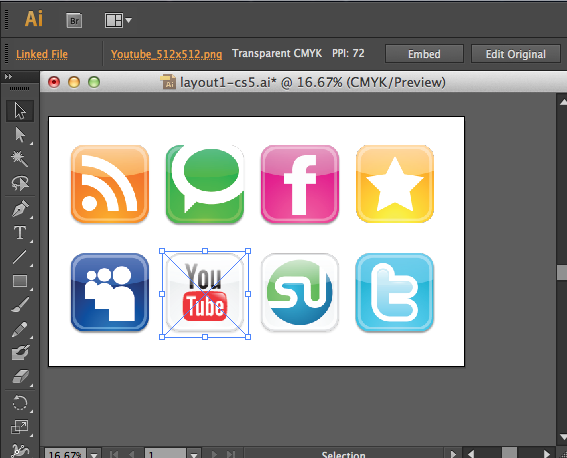
Yes, thoroughly tested with Adobe Illustrator CS6, this application solves the problem quite well. Screenshots:
Will this work if some of the linked files are missing?
YES – This program will re-link all of the files it can find – even if one or more are not present.
If someone has sent me files created on a Windows PC, can I use this to re-link them on my Mac?
Absolutely! You can re-link all of Illustrator’s Linked Files independent of which platform created the Adobe Illustrator (ai) file initially.
What types of files can be re-linked?
All file types – including but not limited to: PNG, JPG / JPEG, GIF, BMP, PSD (Photoshop), PDF, EPS, and AI file extensions.
I use mac 10.6.8 and adobe CS6. Do you have positive feedback from anyone using CS6?
I wrote the application while using 10.6.8 before upgrading to 10.7 and then 10.8. It worked fine for me on all versions and no one who has purchased the application has ever complained that it wouldn’t run. I am currently using it with Adobe Illustrator CS6 and it works great. So far there have been three issues customers have had:
1) The application was unable to add in a linked resource – after investigation this turned out to be due to the resource being named with the incorrect extension – it was a JPG file that had a .PNG extension. This actually causes an error in Illustrator which prevented my application from completing its task. After renaming the file to the proper extension it worked fine.
2) Occasionally someone will find a file that has a special character in the path name that causes the application to fail. If you experience that issue I can usually provide a fix in about 24 hours.
3) If you are using an AFP fileshare from a mac with a G4 processor you may have to move the resource files to a local drive (try moving the project folder to your Desktop).
Does this work on Microsoft Windows based PCs (Windows XP, Windows Vista, and Windows 7)?
Not at this time, but please leave a comment below if you would like to be notified if I can ever get the Windows version working. (I tried to write a Windows version first ;)
I am a freelance designer, so I would be using your product for business. How much does a commercial version cost?
I’ve just rewrote the pricing section so that it is more clear. Basically, each person who uses the application should purchase it. What I hope won’t happen is for a design shop to purchase the application once and install it on all of their computers.
Do you have a physical address and a phone number?
I am happy to provide e-mail support unless an issue is overly complicated and then we can schedule a phone call. If you are not satisfied with the program please contact me and I will make sure we resolve any issues.
Do you provide a user guide with your “Adobe Illustrator Linked File” program?
The application is fairly straight forward – there isn’t any functionality that is not shown on the YouTube video / screencast. I try to keep my webpage updated with helpful information.
Would I be able to “uninstall” the program if it causes any problems?
The application does not need to be “installed” – it is a single, self-contained `.app` file. You can store it wherever you like but most people would probably drag it to the Applications folder. To uninstall, just drag it to the trash.
Is there any chance that your program could cause any kind of problems on my computer?
I suppose there is no 100% guarantee for anything, but the application works by looking for missing files in your Adobe Illustrator (`.ai` file) and then scanning the folder (and subfolders) your specify to try and repair the links. It seems unlikely to me that this “read only” behavior would be able to cause any problems.
If I update my links with your program, then if I deinstall your program, will illustrator still be able to locate the linked files automatically?
Adobe Illustrator is that smart at handling linked files. If you move a project folder from one computer to another, chances are when you open the `.ai` project Adobe Illustrator won’t be able to located the linked resources. If you use this application to fix the linked files, then save the `.ai` file, the next the you open that Adobe Illustrator file on that system it will open just fine without asking to re-link the files – even if the program has been uninstalled. However, if you move your `.ai` project to another computer Adobe Illustrator will most likely ask you fix the links when you open it on that computer.
If I desire, am I able (via a preference setting) to change the default of three levels of folder searching to something else, like 1, 2, 4, 5, 10 etc. ? I realize that the more folders that it needs to look through, the longer it will take to find the linked files.
The app will actually search unlimited levels deep – so you can use it to search your entire hard drive. The “three levels” thing is where the default “open folder” dialog starts off. For example, if your illustrator file is in Projects->BigClient->Billboards->Spring->sprint01.ai when you run the application it will open an “open folder” dialog to the “BigClient” folder – three levels up from where the .ai file is stored. If you click “OK” the application will then search the “BigClient” folder and all subdirectories until it finds the matching resource or has completed the search of all files and subdirectories inside the “BigClient” folder – no matter how many levels deep.
I would like for your program to search through my entire hard drive and/or drives to find the missing links. However on my drives there may be mulitple files of the image with the same name. So it would be nice to be able to set a preference to find the either the MOST RECENT file, or to have a feature that would show me the linked file various locations and allow me to pick one of those links. Does that make sense?
This is not currently a feature but it is something that could be added to a future version, although I can’t promise you a date that this would be available. However, like everyone who purchases the application, future updates will be provided to you free of charge.
Is your program an illustrator plug-in, or a freestanding application?
It is a small freestanding application.
Can I move or rename the Adobe Illustrator relinking application?
Yes – you can move the application anywhere you choose (Applications folder, desktop, etc). You can rename it if you like. You can create a shortcut in your Dock (many people do that).
Do I need to change any System Preferences?
You may need to change the “Allow Applications” system preference under the “Security and Privacy” section:
![Adobe Illustrator Could Not Find The Linked File [Solved]](https://techblog.willshouse.com/wp-content/uploads/2011/01/adobe-illustrator-could-not-find-the-linked-file-solved-3.png)
- adobe illustrator cs5 could not find the linked file
- adobe illustrator linked files
- ai cs5 could not find the linked file
- apply to all? illustrator ignore
- can ai file be linked to url
- choose replace to choose another file or ignore illustrator
- coud not find linked file
- could not find the linked choose replace to select another file on this computer or ignore to leave the link unchanged.
- could not find the linked file choose replace to select another file or ignore to leave the link unchanged
- CS5, could not find the linked file
- file link illustrator mac windows
- how to fix broken links illustrator
- how to save linked file adobe illustrator
- illustrator could not find linked file choose replace to select another file or ignore to leave the link unchanged
- illustrator could not find the linked file
- illustrator link files
- illustrator linked files application / script
- illustrator linked files problem
- illustrator relink extension
- illustrator relink script
- illustrator relinking script
- illustrator script update links and save
- illustrator scripting linked file not found
- illustrator, update link wont work
- linked files in illustrator mac pc
- migrate illustrator relink script
- missing files in illustrator howto
- remove links illustrator
- script to change link in illustrator
- script to replace links in illustrator
- update illustrator link and change server
- update illustrator linked files application / script
- willshouse illustrator link

31 Responses to Adobe Illustrator Could Not Find The Linked File [Solved]