Future By Design – Jacque Fresco

[youtube=http://www.youtube.com/watch?v=hc7x79kJ1S0]

WORLD PREMIERE JUNE 10 ATLANTA FILM FESTIVAL Future by Design shares the life and far-reaching vision of Jacque Fresco, considered by many to be a modern day Da Vinci. Peer to Einstein and Buckmi…

Jacque Fresco (born March 13, 1916), is a self-educated structural designer, philosopher of science, concept artist, educator, and futurist. His interests span a wide range of disciplines including several in philosophy, science, and engineering. Fresco writes and lectures extensively on his view of subjects ranging from the holistic design of sustainable cities, energy efficiency, natural resource management, cybernated technology, advanced automation, and the role of science in society, focusing on the benefits he thinks they may bring. With his colleague, Roxanne Meadows, he is the founder and director of an organization known as The Venus Project, located in Venus, Florida. – wikipedia

Posted in Design | Tagged , , , | Leave a comment

Related Things

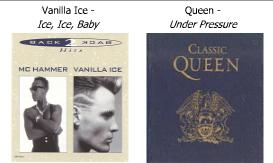
queen’s under pressure = ice ice baby

SP32-13

Toys R Us and Rooms to Go Logos

toys_r_us_logo

Ray-Ban and Virgin Logos

ray_ban_logo

See more on this blog

Posted in Design | Leave a comment

1.12.12 25.15.21.18 15 1.18.5 2.5.12.15.14.7 20.15 21.19

What does it mean?

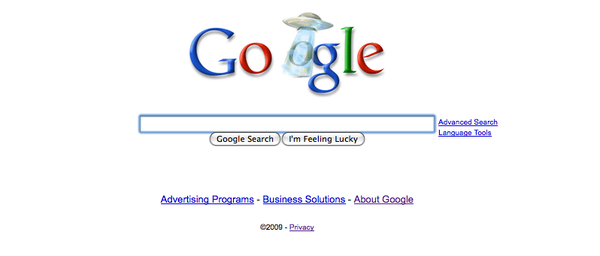
Google’s code. This is a reference to the all your base are belong to us. However, on google’s homepage in the animation of the alien spaceship, the aliens are stealing the google “o” thus we have “all your O are belong to us”

Just convert the numbers to the alphabetical counterparts (a=1, b=2)

This is using something similar to the caesar cipher

What does “All your base are belong to us” mean?

Wikipedia says:

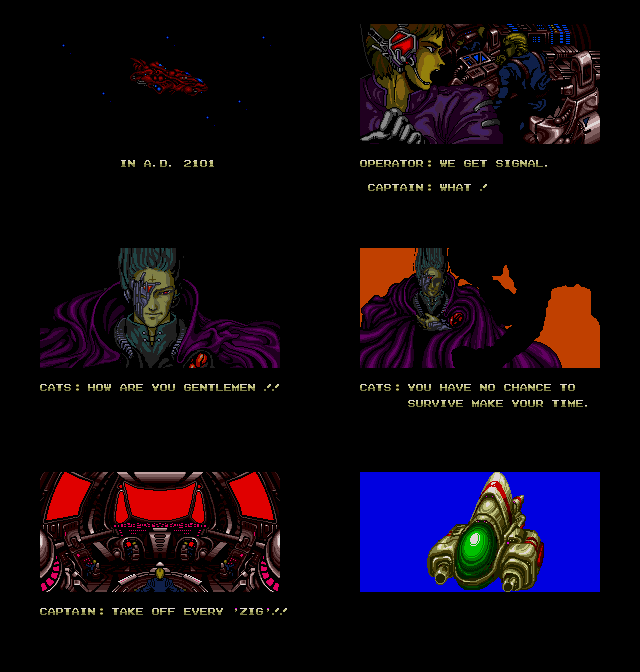
All your base are belong to us” (often shortened to “All Your Base“, “AYBABTU“, or simply “AYB“) is a broken English phrase that was central to an Internet phenomenon, or meme, in 2000-2002, with the spread of a Flash animation that depicted the slogan. The text is taken from the opening cut scene of the 1991 European Sega Mega Drive version of the Japanese video game Zero Wing,[1] by Toaplan which was poorly translated by Sega of Europe. It was popularized by the Something Awful message forums.[2] The lines For great justice and Somebody set up us the bomb are often replicated as a secondary memes, with the phrase for great justice applied to an ordinary or inappropriate action.

Watch the Video

Google’s Homepage

27758931-b34a13c749d9170e234b2c62e283658a.4aa1e767-scaled

Animated Gif

AllYourBaseAnimated

1.12.12 25.15.21.18 15 1.18.5 2.5.12.15.14.7 20.15 21.19

Posted in History, Etymology | Tagged , , , | 9 Comments

Increase Gmail search result count (from 20)

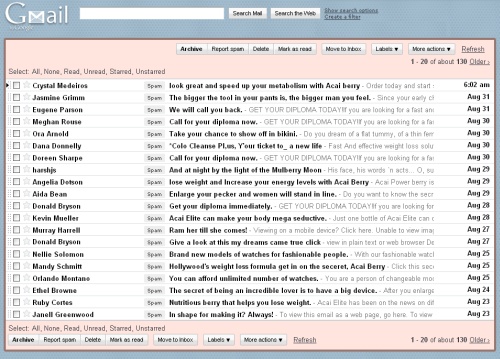
Are you frustrated that when you search g-mail there are only 20 results that show up at a time? It’s quite difficult to review, mark, and move messages when the search results are limited to 20 messages.

Does it make sense that a “search company” which offers GIGABYTES of storage in their e-mail system limits your result count to 20? No. Of course not.

Solutions

1. Creating a Filter (thanks Stephan)

Create a filter with your search. Put your 
keywords in the "Contains the words" field,  then click "test search" 
and hit continue. Next, create a label and apply the filter 
(ignore the warning that this will never apply to incoming mail) 
for the mail below.

Of course it's complicated to create a filter each time you 
want to search for a large amount of  mail, but still better 
than the 20 mail-limit.

2. Suggest that Google fix it

Visit the GMAIL SUGGESTIONS PAGE and choose the second one from the bottom “Better message search functionality” – also, possibly choose the dropdown box at the bottom, select OTHER, and tell google you want more than 20 results! :)

gmail_limited_search_results

One Related Labs Feature

If you haven’t seen QuickLinks in Google Labs, it’s worth checking out. It still only gives you 20 results, but it is a way of having saved searches easily available without having to create a filter.

increase g-mail search results

About Quick Links

Adds a box to the left column that gives you 1-click access to any bookmarkable URL in Gmail. You can use it for saving frequent searches, important individual messages, and more.

Posted in Tech Opinion, Tech Tips | Tagged , , | 5 Comments

Review: X10 Home Automation with Arduino

This is a re-post of  this blog posting since it appears to be a 404.
—-
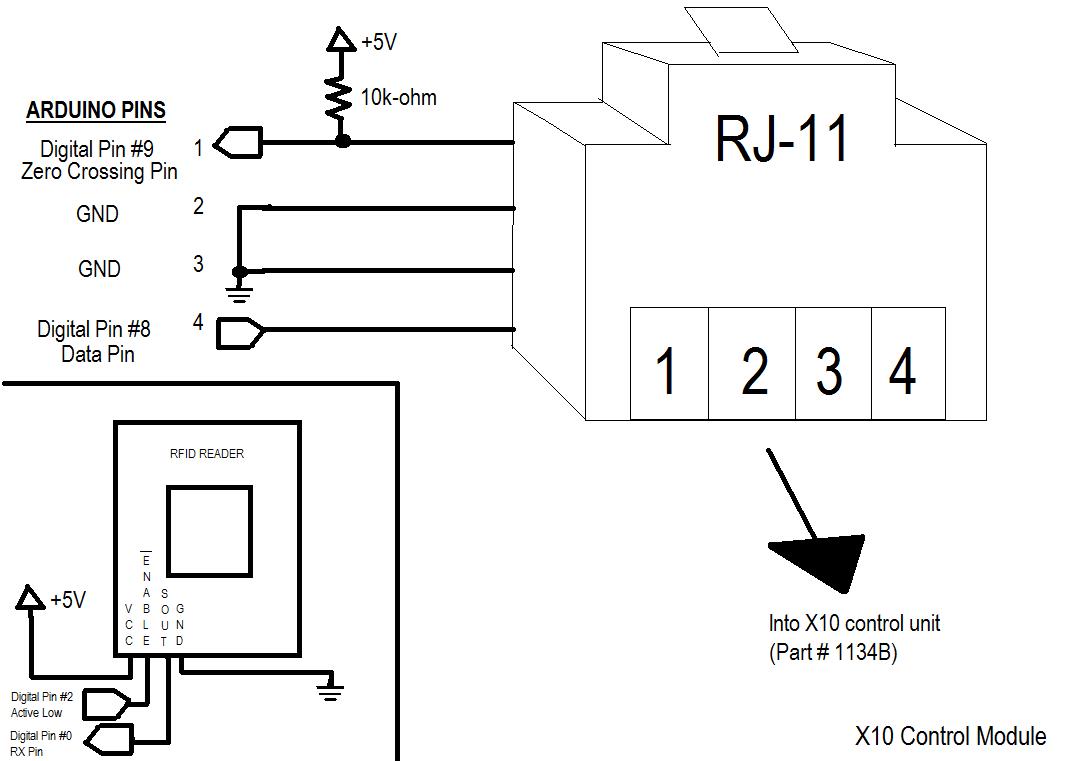
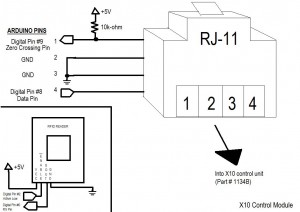
My current project revolves around using the Arduino and the X10 home automation protocol and hardware. The gist of what I am doing with this project is using the Parallax RFID (found here) tag to identify me and then use X10 protocol/hardware (Part# 1134B from SmartHomes via Amazon) to automate my home. Below is the wiring diagram.
X10_wire

In this example, I control 1 device (on X10 circuit A, device 1). I initally turn the device off. When the RFID tag I am looking for is read, I turn the lights on. Next time that tag is read, I turn the lights off. I acknowledge various changes by providing feedback to the user via blinking LEDs and serial comms to the PC. I use the free SSH/telnet client PuTTY, found here.

Now, for the code…

——————————————–
#include x10.h
#include x10constants.h

// RFID reader variables
#define TAG_LEN 12
char tag[12] = {‘0’, ‘F’, ‘0’, ‘3’, ‘0’, ‘3’, ‘7’, ‘1’, ‘8’, ‘5’};
char code[12];
int bytesread = 0;
int ledPin = 13; // Connect LED to pin 13
int rfidPin = 2; // RFID enable pin connected to digital pin 2
int val=0;

// X10 Control unit variables
int zcPin = 9;
int dataPin = 8;
int repeat = 1;
boolean LightsOn = false;

// Declare and instance of an X10 control module
x10 myHouse = x10(zcPin, dataPin); // 9 is 0xing pin; 8 is data pin

void setup()
{

// Begin serial comms with the PC
Serial.begin(2400); // RFID reader SOUT pin connected to Serial RX pin at 2400bps

// X10 Module
myHouse.write(A, ALL_UNITS_OFF, repeat);
pinMode(zcPin,INPUT);
pinMode(dataPin,OUTPUT);

// RFID
pinMode(rfidPin,OUTPUT); // Set digital pin 2 as OUTPUT to connect it to the RFID /ENABLE pin
pinMode(ledPin,OUTPUT); // Set ledPin to output
digitalWrite(rfidPin, LOW); // Activate the RFID reader

blink(); // All variables are set, notify user ready to operate
Serial.println(“Setup complete, all lights OFF.”);
}

void loop()
{

if(Serial.available() > 0)
{ // if data available from reader

if((val = Serial.read()) == 10)
{ // check for header
bytesread = 0;

while(bytesread<10)
{ // read 10 digit code

if( Serial.available() > 0)
{
val = Serial.read();

if((val == 10)||(val == 13))
{ // if header or stop bytes before the 10 digit reading
break; // stop reading
}

code[bytesread] = val; // add the digit

bytesread++; // ready to read next digit
}
}

if(bytesread >= 10)
{ // if 10 digit read is complete
Serial.flush(); // clear “ghost” readings of the same RFID

if(strcmp(code, tag) == 0) // Does the tag read match the one we are looking for
{
Serial.print(“Tag matches: “); // Yes
Serial.println(code);

if (LightsOn == false) // If lights are off, turn them on.
{
blink();
myHouse.write(A, UNIT_1, repeat);
myHouse.write(A, ON, repeat);
LightsOn = true;
Serial.println(“Lights ON.”);
}

else // Lights are on, so turn them off
{
blink();
myHouse.write(A, UNIT_1, repeat);
myHouse.write(A, OFF, repeat);
LightsOn = false;
Serial.println(“Lights OFF.”);
}

digitalWrite(rfidPin, HIGH); // Pause the reader after a read cycle to reduce multiple
delay(3000); // readings from the same tag.
Serial.flush();
digitalWrite(rfidPin, LOW);
}

else // Tag read is not the one we’re looking for.
{
Serial.print(code);
Serial.println(” does not match”);
digitalWrite(rfidPin, HIGH); // Flush accidental multiple readings
delay(3000);
Serial.flush();
digitalWrite(rfidPin, LOW);
}
}

bytesread = 0; // clear system and prepare for next cycle
delay(500); // wait for a second
}
}
}

/***************************
* Function: blink
* Blink the LED to ack actions
****************************/
void blink()

{
digitalWrite(13,HIGH);
delay(1000);
digitalWrite(13,LOW);
}

Posted in Science, Software, Tech Tips | Tagged | 3 Comments

Solved: Photoshop CS4 won’t let me paste my screen shot (print screen)

This is an update to this issue:

Photoshop fails to paste my print screen from the clipboard. I’ve tested pasting in mspaint and it works fine. I’ve also tried creating a new document from clipboard but that won’t work either. What’s wrong and how do I fix it?

This is documented in stackoverflow, but the case has been closed and I wanted to give an update for Photoshop CS4

You can add a registry dword called “AlwaysImportClipboard” with a value of “1” at this location: [HKEY_CURRENT_USER\Software\Adobe\Photoshop\11.0]

Remember, version 10.0 is CS3, 11.0 is CS4

Or, you can download these registry files which accomplish the same thing:

For Photoshop CS3 (fix print screen cs3 . reg)

For Photoshop CS4 (fix print screen cs4 . reg)

Update: Hey, sometimes photoshop has a hiccup and it just won’t let you paste. Something with the clipboard gets screwy. Just restart photoshop when that happens. Even this registry fix won’t solve that bug.

Photoshop actually has to “import” the clipboard to its own format – you may notice it actually doing this when you cursor changes to an hour glass (or “busy” or “busy background”) when you switch to photoshop after copying an image to the clipboard from another application. Sometimes there will be a slight delay while this import is happening before you can use / paste the image.

Also Note: You may need to go to Image->mode->RGB or CMYK  if it is set on “indexed color,” especially after opening something that has indexing enabled (like a .gif) before you can paste. Also, if you only have a background layer and it is set as “background” try either creating a new layer and pasting into that or holding “alt” (option on mac) and double clicking the background layer in the layers panel to convert it to a layer (or right click it and convert it to a layer)

Hopefully one of these things will help you paste your image.

Posted in Software, Tech Tips | 10 Comments

greasemonkey – google images relinker (v 2.0)

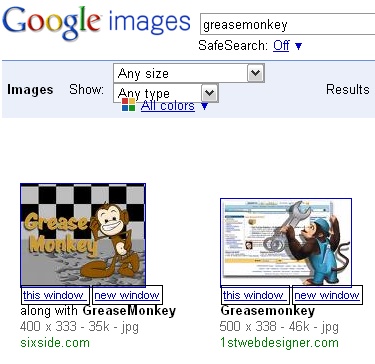
greasemonkey_google_imagesI really like the google image relinker script for greasemonkey, but sometimes when there’s a hotlink protection or something else funky, you just want the original google images link. i updated this greasemonkey image re-linker script so that it relinks the images, but also provides links to open the original link (both in a new tab, and in a new window)

Download the script:

google_image_relinker_v2_00.user.js.txt (rename to just .js)

google_image_relinker_v2_00.user.js (right click and save as)

Greasemonkey scripts can be used with chrome or firefox

Posted in Web Development | Tagged , , , | 1 Comment

winrar right click archive “date” option on context menu

WinRAR has always been great. However, I find myself constantly renaming archives after using the right-click “add to archive” context menu item. I find myself prepending the files with the date created. I love streamlining things, so I decided to write WinRAR tech support a message. They prompty replied and informed me about some some things I didn’t realize were available!

Basically, you can create “profiles” for the archives you create.

Here are the steps RarLabs sent me:

– press “Add” button to open archiving dialog;

– enable “Generate archive name by mask” option on “Backup” page of
archiving dialog;

– select an appropriate mask for this option, insert + in the beginning
of mask to place it in the beginning of archive name;

– return to “General” page, press “Profiles…”, select “Save current
settings to a new profile”;

– specify a profile name and set “Add to context menu” option.
Also you may set “Immediate execution” option if you do not want to
see the archiving dialog every time after selecting this profile.

After that you shall see your new profile in context menu.

Note: The requires WinRar 3.8 or newer

Posted in Software, Tech Tips | Tagged , | 1 Comment

WOL-Wake On Lan-Utility – 100% Free

The best WOL software for Windows XP, 98, Vista

Completely free download

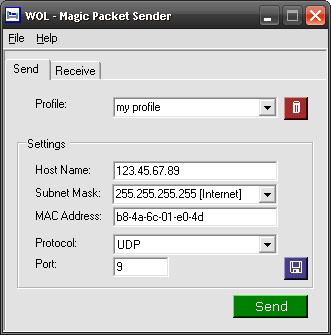
I really like this utility a lot. It works well with XP, Vista, and 7.

wol_utility

Download Magic Packet Sender

Before I was using this one I was using “Wake on Lan for Windows Graphical User Interface (GUI)” by depicus.

WOL-Wake On Lan-Utility

It’s lightweight and starts faster than the magicpacket.free.fr one, but it also does not resize very well or look good in Vista or 7, and it does not allow you to save multiple profiles.

Nevertheless, there are some decent Wake On Lan resources available from Depicus.

For Mac

If you need a good, free one for Mac, try WakeOnLan by readpixel.

Wake On Lan
WakeOnLan discovers all other computers in your LAN, and enables you to wake them up by clicking a button. If your remote computer is a Mac you can put it asleep too.

Posted in Software | Tagged , , | Leave a comment

The Closest Habitable Solar System: Gliese 581

PP-xx template

Gliese 581 is a red dwarf star with spectral type M3V, located 20.3 light years away from Earth. Its mass is estimated to be approximately a third of that of the Sun, and it is the 87th closest known star system to the Sun. Observations suggest that the star has at least four planets: Gliese 581 bcde.[9]

The star system gained attention after Gliese 581 c, the first low mass extrasolar planet found to be near its star’shabitable zone, was discovered in April 2007. It has since been shown that under known terrestrial planet climate models, Gliese 581 c is likely to have a runaway greenhouse effect, and hence is probably not habitable. However, the subsequently discovered outermost planet Gliese 581 d is firmly within the habitable zone. In April 2009, the discovery of exoplanet Gliese 581 e[9] at that time the closest-known in mass to Earth, was announced.

Posted in Science | Leave a comment